 Pagebound
FROM THE WEB TO YOUR BOOKSHELF
A website.
A quieter read.
Gather articles and documentation into one reading edition.
Keep the chapters, leave the distractions.
Coming to the Chrome Web Store · Chrome desktop 131+
Keep the useful parts.
Choose a page, a section, or a site. Review the scope before collecting text, images, code, and tables.
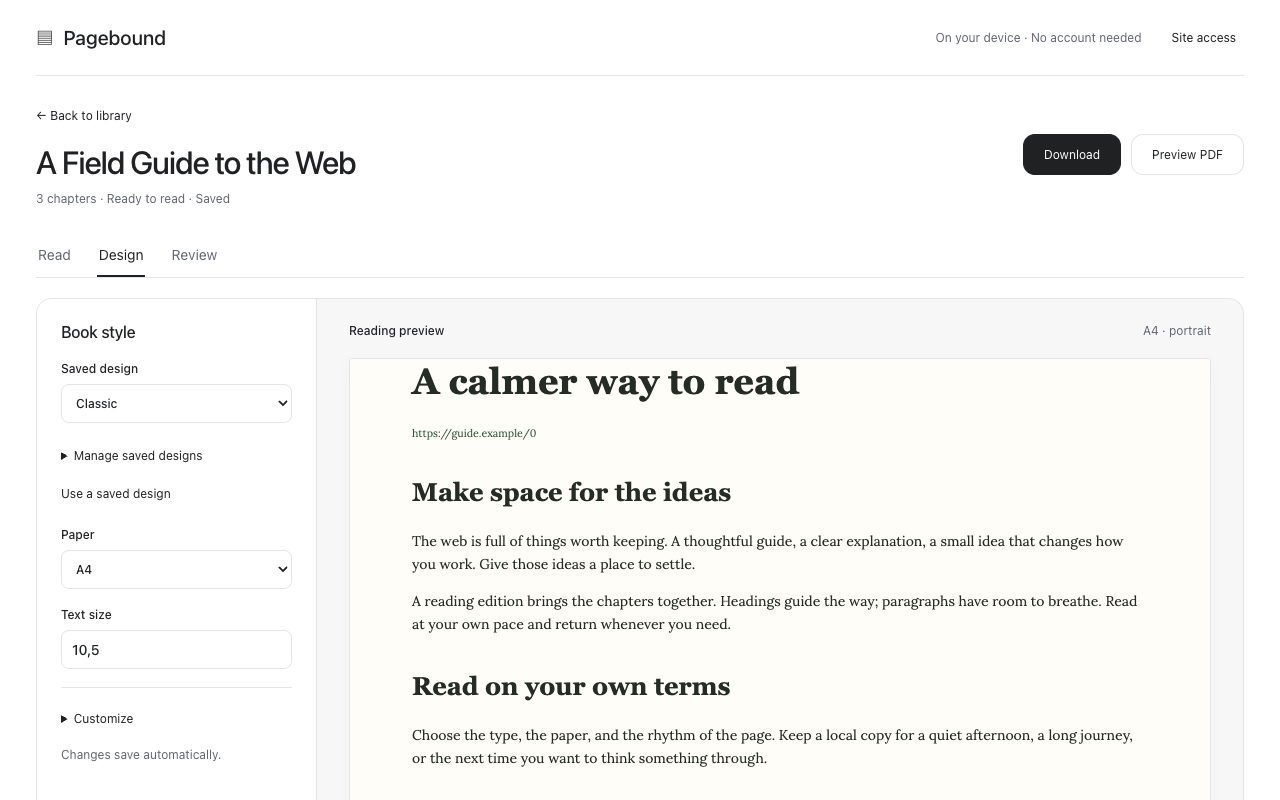
A little more readable.
Adjust typography, paper size, cover, and contents. Save designs and reuse them across your books.
Your browser. Your library.
Reopen saved books offline. Download PDF or EPUB to take your reading elsewhere.
A SMALL RITUAL FOR A LONG READ
From open tabs
to a finished edition.
No account, server setup, or subscription required.
Start with a website.
Open Pagebound from the Chrome toolbar, or choose New book in your library and enter a public website URL.
Review, then collect.
Grant access to the website you choose. Select your scope and page limit; pause or resume when needed.
Settle into the pages.
Read the edition, tune its design, and choose Download for PDF or EPUB. Keep the app tab open while collecting.
LOCAL BY DESIGN
A library that
stays with you.
Books, images, and saved designs live in this Chrome profile. Pagebound includes no analytics, uploads, or cloud sync.
Read the privacy policy ↗A few things to know
Website layouts vary. Some editions will be partial, with notes explaining missing pages or images. Login, paywalls, and CAPTCHA support are not promised.
Optional JavaScript loading and diagram capture open background tabs and may use your signed-in website session. Diagram capture saves static figures and uses Chrome’s debugger permission.
PDF downloads render saved content offline. Browser printing is also available; PDF reader outlines depend on the export path. Uninstalling or clearing extension storage can erase your local library.
MAKE ROOM FOR A QUIETER READ
Your next book
is already on the web.
View release status ↗The Chrome Web Store release is being prepared.